
Season 2 Guide
Last War Survival Season 2 Week 8 Guide: Alliance Contribution Ranking, Reward Distribution, and Settlement Loot
A detailed Last War Survival Season 2 Week 8 guide covering alliance contribution rankings, Mutual Assistance, Siege, Rare Soil War, Defeat points, how to assign alliance rewards, reward distribution limits, and how to claim Season Settlement loot before the timer ends.
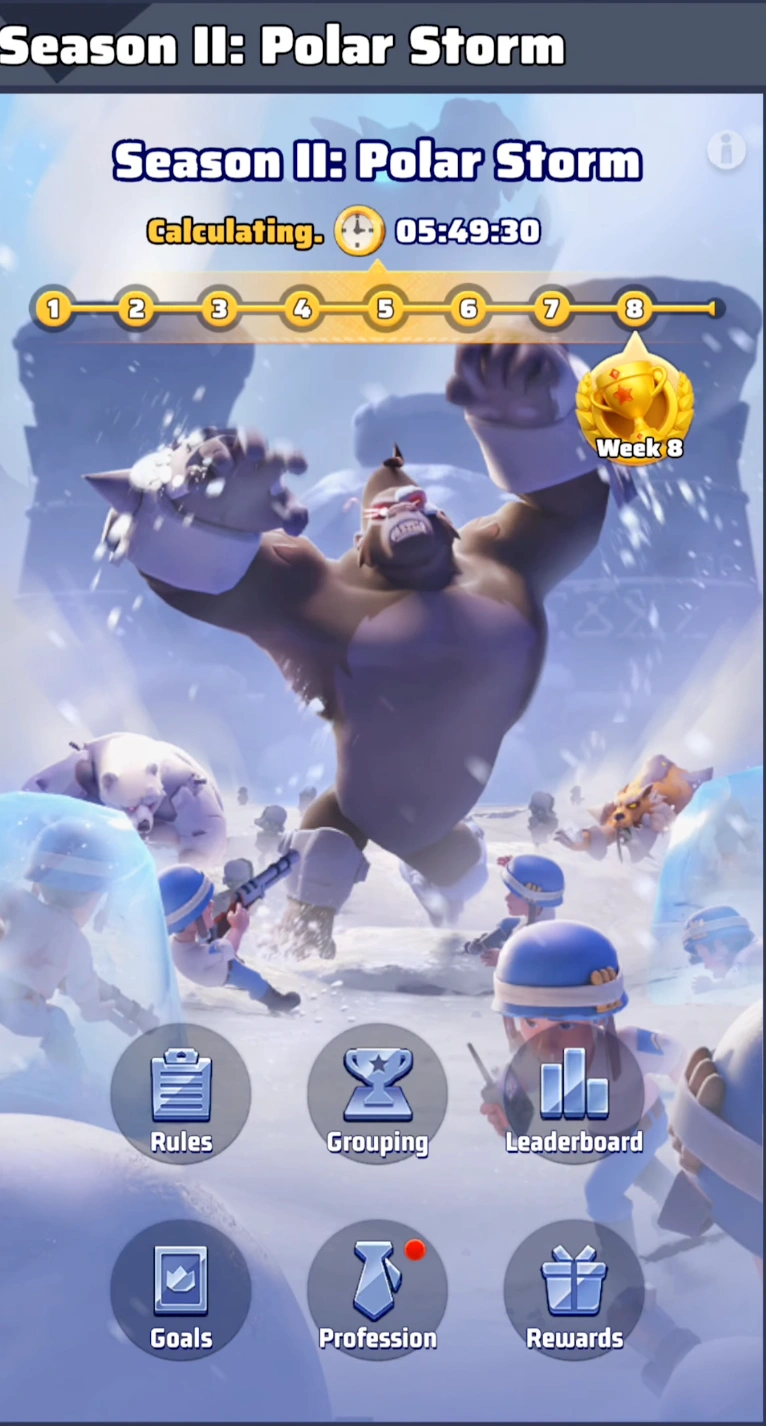
Last War Survival Season 2 Week 8 is not a combat-heavy progression week. It is the settlement phase that decides how your alliance's season effort is recognized, ranked, and rewarded. For many players, this is the most important administrative week of Polar Storm because it is the last chance to review who truly contributed, assign alliance reward chests correctly, and make sure valuable Season Settlement loot does not expire unclaimed.
This detailed Last War Survival Season 2 Week 8 guide explains how to read every Alliance Contribution Ranking category, which scoring systems actually reflect battlefield value, how R5 and R4 officers should assign rewards fairly, and the exact steps needed to distribute alliance chests before the season timer runs out. If you are searching for how to assign alliance rewards in Last War Survival Season 2 Week 8, this is the complete walkthrough.
Key takeaways
- Week 8 is the settlement phase of Last War Survival Season 2, so leaders should focus on contribution review, reward assignment, and final reward confirmation before the season ends.
- Alliance Contribution Ranking has four categories: Mutual Assistance, Siege, Rare Soil War, and Defeat, but not all four categories reflect real strategic impact equally.
- Rare Soil War and Defeat rankings can be misleading if leaders ignore Warlord Missile inflation, trap spikes, or late-season kill trading.
- R5 and authorized officers must assign alliance reward chests before the deadline or the unassigned rewards are lost.
- Once you tap Instantly Distribute and confirm, the reward list cannot be edited again, so every assignment should be double-checked first.
Part 1: Why Season 2 Week 8 Matters So Much
Week 8 is the closeout week of Season II: Polar Storm. By this point, most of the active conquest, furnace pushing, and map control work has already happened. What remains is the settlement layer: reviewing your alliance's final contribution standings, checking your Rare Soil placement, and distributing the alliance reward chests unlocked by your season ranking.
This is where many alliances make avoidable mistakes. Leaders sometimes assume the system will auto-send every reward, but that is not how the alliance chest distribution works. The Alliance Leader Reward is handled automatically for the R5, but the other chests still need to be assigned manually. If your officers wait too long or misunderstand the interface, valuable rewards can remain undistributed when the timer hits zero.
That is why Last War Survival Season 2 Week 8 is less about raw power and more about judgment. R5 and R4 officers need to review the contribution data carefully, separate real contributors from inflated scoreboards, and then lock in the final distribution before the season closes.
- Use Week 8 to review final alliance contribution instead of assuming the raw leaderboard tells the whole story.
- Treat reward distribution as a deadline-sensitive task because unassigned chests can be wasted.
- Coordinate inside alliance chat or Discord before assigning rewards so your officer team follows the same logic.
Part 2: How Alliance Contribution Ranking Works in Last War Survival Season 2 Week 8
To review the final standings, open the Season 2 menu and navigate to Alliance Contribution Ranking. The game breaks alliance contribution into four categories: Mutual Assistance, Siege, Rare Soil War, and Defeat. On the surface this looks straightforward, but each category measures a different kind of value, and some are much easier to inflate than others.
For fair reward assignment, leaders should never rely on just one leaderboard. A player can rank high in a single category without actually carrying much strategic weight for the alliance. The best Week 8 review compares all four categories, then cross-checks them against actual war participation, coordination, and presence during major alliance events.
- Use Mutual Assistance to spot active helpers, but do not treat it as proof of battlefield impact by itself.
- Value Siege highly because it tracks the work that helps alliances capture cities and Digging Strongholds that generate Rare Soil.
- Review Rare Soil War and Defeat with caution because both categories can be artificially inflated in specific ways.
| Contribution Category | How Points Are Earned | What Leaders Should Know |
|---|---|---|
| Mutual Assistance | Send a Recon Plane to warm an ally for 1,000 points, donate Coal to the Alliance Furnace for 10 points, and reduce durability from a frozen ally's ice block for 2 points. | This is easy to farm and useful for alliance support, but it does not directly create Rare Soil gains. |
| Siege | Defeat Doom Walkers, clear monsters and bosses at Digging Strongholds, defeat garrisons in Neutral Cities, reduce Neutral City durability, and rebuild the Nuclear Furnace. | This is one of the best indicators of players who actually helped the alliance capture objectives and expand Rare Soil income. |
| Rare Soil War | Reduce durability of enemy faction Furnaces and Commander bases, use traps successfully, and launch a Warlord Missile. | Scores can be distorted because a single Warlord Missile grants 100,000 points and traps give 10,000 points. |
| Defeat | Kill enemy faction units, with points scaling from 6 points for Level 1 units up to 30 points for Level 10 units. | Usually reflects real PvP damage output, but it can also be padded through late-season kill trading. |
Part 3: Best Way to Judge True Contribution Before You Assign Rewards
The most useful Week 8 leadership skill is separating real contribution from misleading point spikes. Mutual Assistance is excellent for identifying dependable support players who kept allies warm and furnaces running, but it should not outweigh players who spent the season winning cities, defending furnace targets, or grinding enemy positions during Rare Soil War.
Siege is often the cleanest leadership metric because it tracks players who actively helped the alliance take and hold meaningful objectives. If your alliance's Rare Soil economy improved because members cleared Digging Strongholds, worked down city durability, and rebuilt the Nuclear Furnace, those players deserve serious reward consideration even if they are not the noisiest names in alliance chat.
Rare Soil War needs careful interpretation. A Warlord Missile gives 100,000 points, which means one player can shoot far up the ranking from a single action. The same logic applies, on a smaller scale, to trap usage at 10,000 points each. Leaders should ask whether the player consistently fought, rallied, and held objectives, or whether the score came mostly from a few high-value mechanics.
Defeat ranking also needs context. High kill totals usually mean the player was present for real PvP fights and dealt damage across multiple battles, but many alliances know that end-of-season kill trading can inflate this board after the meaningful wars are over. If a name surged late, compare it against actual participation in battle calls, Discord pings, and alliance chat coordination before you treat the score as decisive.
- Use Siege as one of the strongest anchors for reward fairness because it maps closely to objective play.
- Do not let one Warlord Missile or a few traps outweigh a full week of real frontline Rare Soil War effort.
- Cross-check suspiciously high Defeat scores with real battle attendance, rally participation, and alliance communication records.
Part 4: How to Open the Alliance Reward Menu and Understand the Reward Tiers
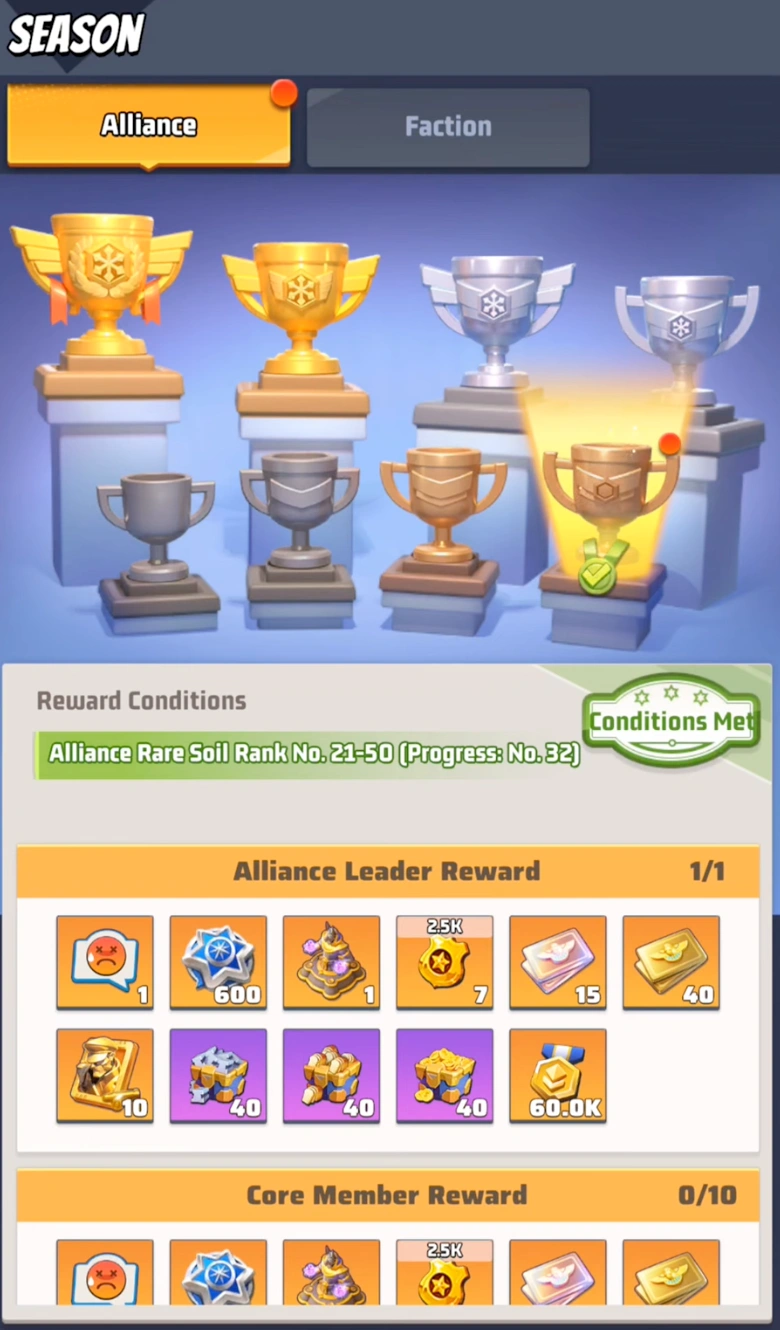
When you are ready to assign alliance rewards in Last War Survival Season 2 Week 8, open the Season 2 menu and tap the Trophy icon. This takes you into the reward settlement area tied to your alliance's final Rare Soil Ranking. Your final season placement decides which reward tiers your alliance has unlocked.
Depending on your placement bracket, such as Rank 21 to 50, the reward page shows a set of season reward chests. The Alliance Leader Reward is reserved automatically for the R5. Below that, the officer team can distribute the remaining chest types to members based on the contribution review you completed earlier.
- Open Season 2 and tap the Trophy icon to enter the reward assignment screen.
- Use your final Rare Soil Ranking to understand how many and which reward tiers are available.
- Plan your Core, Elite, and Valued allocation before you start tapping so you do not make rushed decisions.
| Reward Tier | Who It Is For | Important Note |
|---|---|---|
| Alliance Leader Reward | Automatically sent to the R5. | This one does not need manual assignment. |
| Core Member Reward | Top-impact contributors selected by alliance leadership. | Best reserved for players with strong objective, war, and season-long value. |
| Elite Member Reward | Important contributors who consistently supported alliance goals. | Useful for strong fighters, objective players, and dependable event participants. |
| Valued Member Reward | Broader active membership that still contributed meaningfully. | Often used to recognize active support players and dependable participants. |
Part 5: Important Alliance Reward Distribution Rules You Cannot Ignore
Before assigning a single chest, leaders need to understand the built-in restrictions. These rules explain why some members cannot be selected, why some alliances end up with leftover chests, and why poor planning can waste season rewards.
The first rule is simple: one reward per person. Even if a player clearly carried the alliance, the system only allows one assigned chest for that member. You cannot stack multiple reward tiers onto the same account.
The second rule is the member lock. Your assignment count is limited by the number of members recorded when the system locked the alliance for settlement, usually around the start of Week 8. This means you cannot recruit fresh members and hand them spare rewards after the lock if they were not part of the eligible settlement roster.
The third rule is the cross-alliance restriction. If a player already received a Season Reward from another alliance, your alliance cannot assign another one to that same player. The system blocks the action. Finally, if members quit the game, become inactive, or leave the alliance after the roster lock, you can end up with reward chests that cannot be used efficiently.
- Do not assume every visible alliance member is still eligible for reward assignment.
- Start early so you have time to detect blocked recipients and rework the reward plan.
- Keep a backup recipient order ready in case a preferred target cannot receive a chest.
| Rule | What It Means | Why It Matters |
|---|---|---|
| One Reward Per Person | Each member can receive only one alliance chest. | You must spread rewards across different players instead of doubling up on one star member. |
| Member Lock | Reward eligibility is tied to the member count captured when the system locked the alliance roster. | Late roster changes do not expand your available pool of valid recipients. |
| Cross-Alliance Restriction | A player who already received a Season Reward from another alliance cannot receive one from yours. | This can block former members or players who moved between alliances late in the season. |
| Wasted Chests | Some chests may remain unused if eligible members are gone or blocked. | Leaders should start assignment early so they can identify problems before the final deadline. |
Part 6: Step-by-Step Guide to Assign Alliance Rewards in Last War Survival
After opening the reward page, tap Assign Rewards. The member list is organized by rank groups such as R4, R3, R2, and R1, and the display is sorted by who is currently online. This layout is helpful for quick access, but do not let online status decide your final reward plan. Use the contribution review, not just the convenience of who is active at that moment.
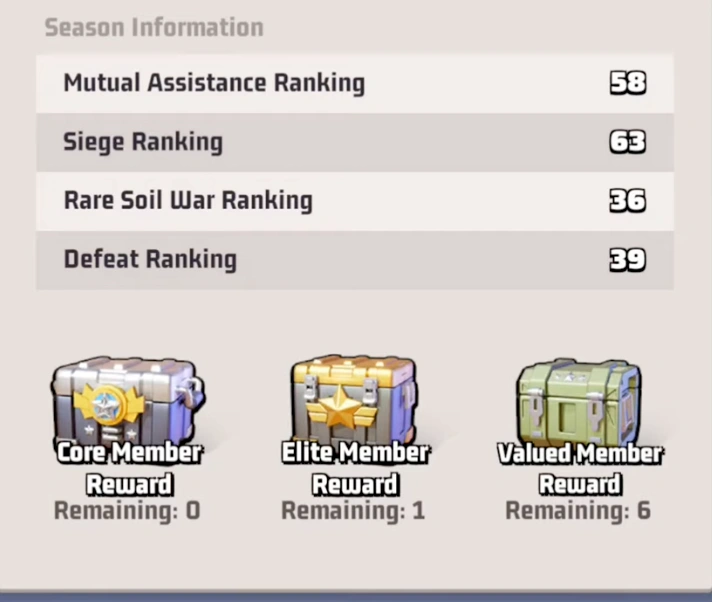
Tap the blue Assign button next to a member's name. A pop-up window appears showing that player's contribution statistics across the four ranking categories, including Mutual Assistance, Siege, Rare Soil War, and Defeat. This is one of the most useful Week 8 interfaces because it lets you compare contribution context without leaving the assignment screen.
From the same pop-up, choose the reward chest you want to give, such as Elite Member Reward, and tap Save. If you need to change the choice, tap the chest icon next to that member's name again, remove the current selection, tap Save, and then assign the correct chest. You are allowed to adjust the plan before final distribution, so take advantage of that flexibility.
- Tap Assign Rewards and review members by rank group, but do not confuse online sorting with contribution priority.
- Use the pop-up contribution panel to compare Mutual Assistance, Siege, Rare Soil War, and Defeat before choosing a chest.
- Tap Save after every assignment, and if needed, unassign first before switching the member to a different chest tier.
Part 7: Instantly Distribute Is the Point of No Return
Once your reward list looks correct, the final action is the Instantly Distribute button at the bottom of the page. This is the last checkpoint before the rewards are sent permanently.
When you tap it, the game shows a warning prompt explaining that once distributed, the rewards cannot be given out again or modified. That warning should be taken literally. After confirmation, there is no second pass, no recovery menu, and no officer-side undo button.
Because of that, the best practice is to stop and review everything one more time. Confirm the highest-tier chests first, verify that your major contributors are placed correctly, make sure no chest is sitting on the wrong account, and check whether any intended recipient is blocked by the cross-alliance rule. Only then should the R5 or authorized officer confirm distribution.
- Treat Instantly Distribute as the final lock because the system will not let you edit the list afterward.
- Review Core Member Reward assignments first since those are usually the most contested and valuable.
- Ask another officer to cross-check the final list before confirming if your alliance wants maximum fairness.
Part 8: How to Claim Season Settlement Alliance Rewards
After the R5 confirms the distribution, the reward delivery is immediate. Players do not need to wait for another daily reset or separate settlement event. The loot arrives through the in-game mailbox.
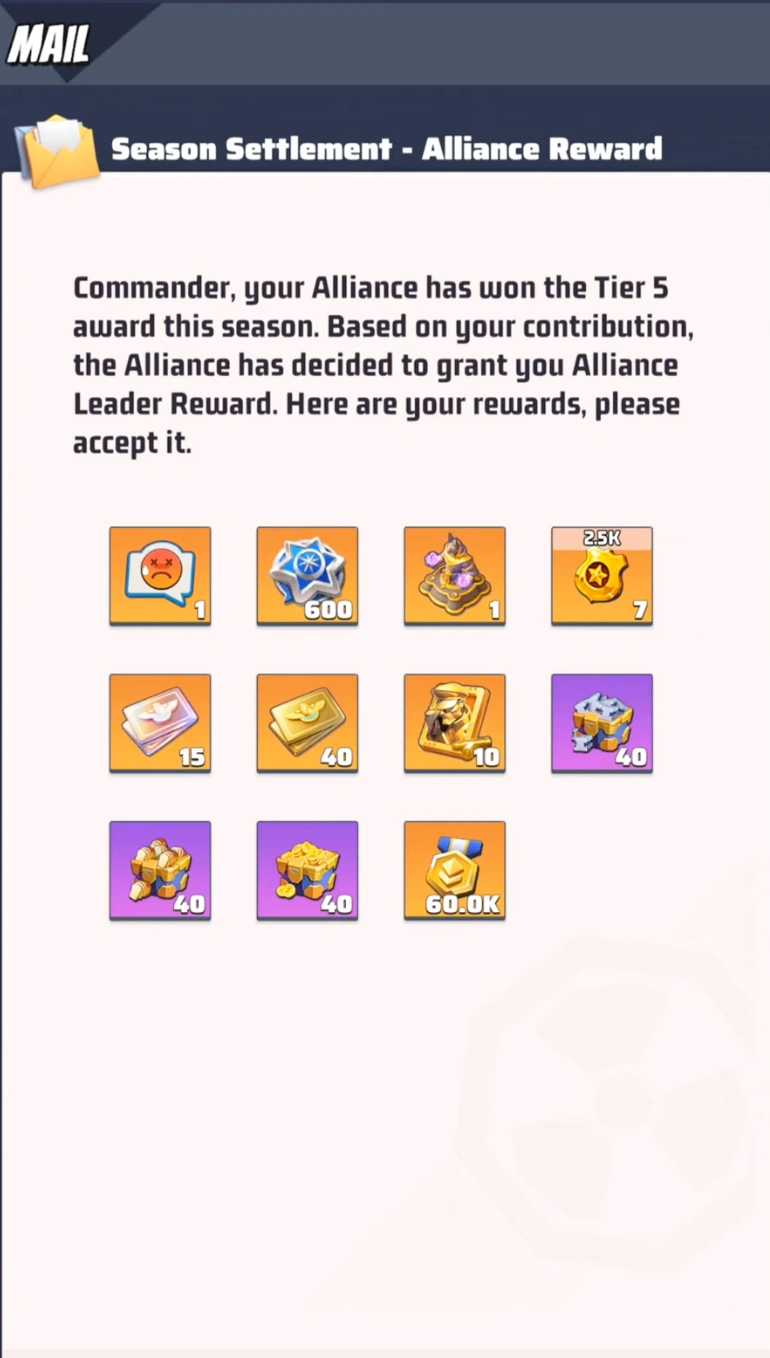
To claim it, open Mail, switch to the Event tab, and look for the message titled Season Settlement - Alliance Reward. That mail contains the final chest payout and is the final step in the Last War Survival Season 2 Week 8 reward flow.
This is also the moment where players can see the practical value of the alliance finish. Depending on the reward tier, the mail can include valuable end-of-season items such as cosmetics, tickets, season points, and other premium-looking settlement loot. If you are the one leading distribution, remind your members to claim the mail promptly so nothing gets overlooked during the season transition.
- Open Mail and go to the Event tab after distribution is confirmed.
- Look for the message titled Season Settlement - Alliance Reward.
- Tell your alliance to claim promptly so no one forgets their Week 8 settlement loot.
Part 9: Final Week 8 Checklist for R5 and R4 Officers
The cleanest Week 8 reward process follows a simple order. First, review the four contribution categories and identify which players delivered real strategic value. Second, open the Trophy reward page and understand how many Core, Elite, and Valued chests your alliance has available. Third, assign rewards early enough to catch blocked members, roster-lock issues, or leftover chest problems before the timer expires.
Then, complete one final audit before tapping Instantly Distribute. This is where strong alliances separate from messy ones. A careful officer team does not just reward the loudest names or the people online at the moment. It rewards the players who helped the alliance survive the cold, win objectives, secure Rare Soil, and stay organized through the entire Season 2 campaign.
- Review contribution categories with context, not just raw points.
- Map out Core, Elite, and Valued rewards before starting manual assignment.
- Confirm the final list before distribution because Week 8 offers no post-confirmation edits.
Keep reading